
Introduction
AI coding assistants are changing software development by helping developers write code faster, fix bugs, explain complex logic, and automate repetitive tasks. Whether you’re a beginner learning programming or a professional developer building large applications, AI coding tools can significantly improve productivity.
This guide compares the best AI coding assistants in 2026 based on code quality, supported languages, IDE integration, pricing, and overall developer experience.
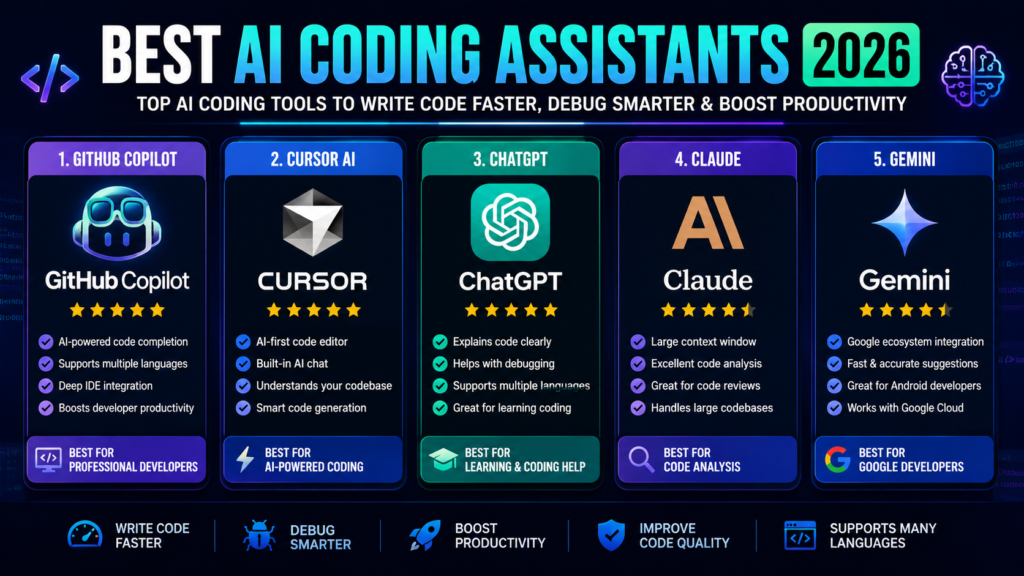
Best AI Coding Assistants Comparison
| Tool | Best For | Free Plan | Rating |
|---|---|---|---|
| GitHub Copilot | Professional Developers | ✅ | ⭐⭐⭐⭐⭐ |
| Cursor AI | AI Code Editor | ✅ | ⭐⭐⭐⭐⭐ |
| ChatGPT | Learning & Coding | ✅ | ⭐⭐⭐⭐⭐ |
| Claude | Code Analysis | ✅ | ⭐⭐⭐⭐☆ |
| Gemini | Google Developers | ✅ | ⭐⭐⭐⭐☆ |
1. GitHub Copilot
Best For
Professional developers using VS Code, Visual Studio, and GitHub.
Pros
- Excellent code completion
- Supports many programming languages
- Deep IDE integration
- Speeds up development
Cons
- Premium features require a subscription
2. Cursor AI
Best For
Developers who want an AI-first code editor.
Pros
- Built-in AI chat
- Smart code generation
- Codebase understanding
- Fast debugging
Cons
- Advanced features require paid plan
3. ChatGPT
Best For
Learning programming, debugging, and code explanations.
Pros
- Explains code clearly
- Supports multiple languages
- Great for beginners
- Helps with algorithms
Cons
- Doesn’t integrate directly into every IDE
4. Claude
Best For
Large codebases and technical documentation.
Pros
- Long context window
- Excellent reasoning
- Great code reviews
Cons
- Limited IDE integrations
5. Gemini
Best For
Developers using Google Cloud and Android.
Pros
- Google ecosystem integration
- Fast responses
- Helpful coding suggestions
Cons
- Some advanced features require paid access
Which AI Coding Assistant Should You Choose?
Choose GitHub Copilot if:
- You are a professional software developer.
- You use Visual Studio Code daily.
Choose Cursor AI if:
- You want a complete AI-powered code editor.
- You frequently work with large projects.
Choose ChatGPT if:
- You are learning programming.
- You need coding explanations and debugging help.
Choose Claude if:
- You analyze large codebases.
- You review technical documentation.
Choose Gemini if:
- You build Android apps.
- You work with Google Cloud services.
Final Verdict
GitHub Copilot remains the best AI coding assistant for professional developers. Cursor AI offers the best AI-powered coding environment, ChatGPT is excellent for learning and debugging, Claude shines in code analysis, and Gemini is a strong option for developers in the Google ecosystem.
FAQs
Which is the best AI coding assistant?
GitHub Copilot is one of the best AI coding assistants for developers.
Is GitHub Copilot free?
GitHub Copilot offers a free plan with limitations and paid plans with advanced features.
Which AI coding assistant is best for beginners?
ChatGPT is an excellent choice for beginners learning programming.
Can AI write complete programs?
Yes. Modern AI coding assistants can generate complete code, but developers should always review and test the output.
Which programming languages are supported?
Most AI coding assistants support popular languages such as Python, JavaScript, Java, C++, C#, Go, PHP, Rust, Swift, Kotlin, and many others.
Official Websites
- GitHub Copilot
- Cursor AI
- ChatGPT
- Claude
- Gemini
Last Updated: 27July 2026