
What is Microsoft Copilot?
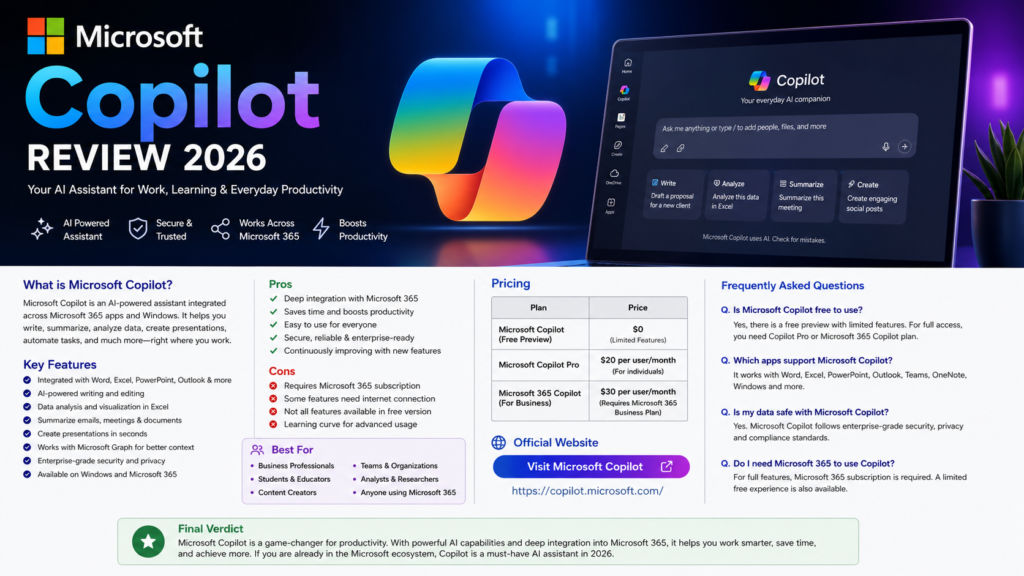
Microsoft Copilot Review 2026: Microsoft Copilot is an AI-powered assistant developed by Microsoft to help users write, summarize, analyze data, create presentations, generate images, and improve productivity. It works across Microsoft 365 apps like Word, Excel, PowerPoint, Outlook, Teams, and Windows.
Key Features
• AI-powered writing assistance
• Microsoft 365 integration
• Excel data analysis
• PowerPoint presentation creation
• Outlook email drafting
• Teams meeting summaries
• Image generation
• Enterprise-grade security
Pros
✔ Deep Microsoft 365 integration
✔ Saves time and boosts productivity
✔ Easy to use
✔ Secure and reliable
✔ Great for business users
Cons
✘ Some features require Microsoft 365 subscription
✘ Advanced features need Copilot Pro
✘ Best experience within Microsoft ecosystem
Pricing
| Plan | Price |
|---|---|
| Free | $0 |
| Copilot Pro | Around $20/month |
Best For
• Students
• Professionals
• Businesses
• Microsoft 365 Users
• Developers
• Content Creators
Final Verdict
Microsoft Copilot is one of the best AI assistants for productivity in 2026. Its deep integration with Microsoft 365 makes it an excellent choice for users who frequently work with Word, Excel, PowerPoint, Outlook, and Teams. If you are already in the Microsoft ecosystem, Copilot can significantly improve your daily workflow.
Frequently Asked Questions
Is Microsoft Copilot free?
Yes. Microsoft Copilot offers a free version with basic features. Advanced capabilities are available through Copilot Pro and Microsoft 365 plans.
Does Microsoft Copilot work with Microsoft Office?
Yes. It integrates with Word, Excel, PowerPoint, Outlook, Teams, and other Microsoft 365 applications.
Is Microsoft Copilot worth it?
Yes. For Microsoft 365 users, it can save time, automate repetitive tasks, and improve productivity.
Official Website
Visit Microsoft Copilot
Last updated : 26 July 2026